Get In Touch
Elevate Your Brand with Engaging Video Podcast Production

So, you’ve decided to leap into the world of video podcast production. Brilliant move! Let’s be honest; we’re visual creatures. A staggering 80% of internet users would rather watch a live video from a brand than read a blog.
But here’s the catch – creating engaging video content isn’t as simple as hitting ‘record’ on your smartphone and uploading to different video platforms. You need the right gear and even that enigmatic X-factor that turns viewers into subscribers and subscribers into die-hard fans.
Think about it for a moment – every major player in the game today started where you are now. With just an idea and perhaps a hint of trepidation at what lies ahead.
If you’re looking to build a brand and grow your business with video podcasting production, then why not book a FREE discovery call today? https://www.kult.media/discoverycall/ I guarantee actionable advice on every call.
- Choosing the Right Microphone
- Essential Equipment for Video Podcasting Production
- Navigating the World of Video Editing Software
- Enhancing Audio Quality with Acoustic Treatment and Cloud Lifters
- Diversifying Content with Remote Interviews and B-Roll
- Leveraging Video Podcasts for Business Growth on Various Platforms
- FAQs in Relation to Video Podcast Production
- How do I choose the right format and structure for my video podcast?
- How do I handle copyright issues when using music, images, or video clips in my podcast?
- What strategies can I use to grow my audience and increase engagement with my video podcast?
- What are some tips for improving the visual quality of my video podcast?
- Conclusion
Choosing the Right Microphone
Good audio and video quality play a significant role in viewer retention and engagement. Invest in quality microphones, cameras, and lighting equipment to make sure have clear sound and visuals. We’ll explore some standout options to elevate your podcast audio quality affordably.
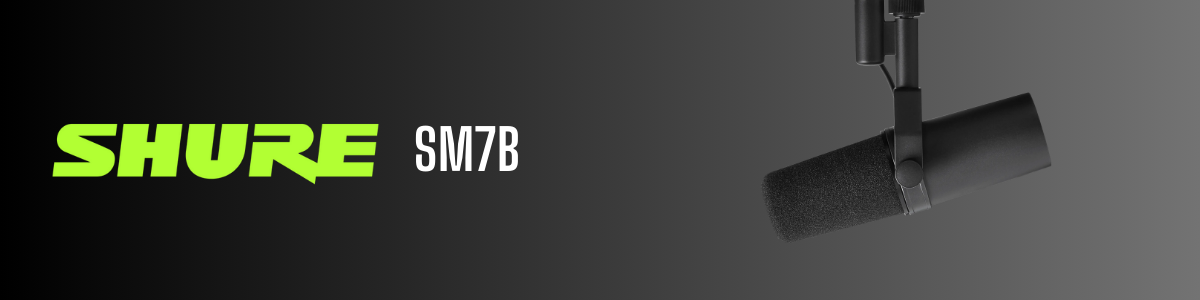
The Reigning Champion: Shure SM7B
Ask any seasoned podcast host about their go-to mic, and chances are they’ll mention the Shure SM7B. Why? Well, it’s like asking why chefs love a good knife. It’s a game-changer, enhancing the whole experience.
The sound clarity is pristine, ensuring that every subtle tone of your voice is impeccably recorded as if you were in-studio recording.
Budget-Friendly Alternatives: Rode PodMic and FTF Gear Mic
- Rode PodMic: If you’re not quite ready to shell out big bucks but still want quality sound, meet the Rode PodMic. This little dynamo packs a punch well above its weight class (and price point).
- FTF Gear Mic: Another wallet-friendly option is the FTF gear mic – designed specifically with budding podcasters in mind. It gives great audio without demanding too much from your pocket.
Picking between these mics isn’t just about cost; it’s about finding what fits best for your show’s style and setup.
Essential Equipment for Video Podcasting Production
After finding the right mic, lets talk other gear that will make your audience feel like they are in a recording studio.
Audio Interfaces for Crystal Clear Sound
The battle of audio interfaces: Focusrite Scarlett Solo vs. Universal Apollo Twin X.
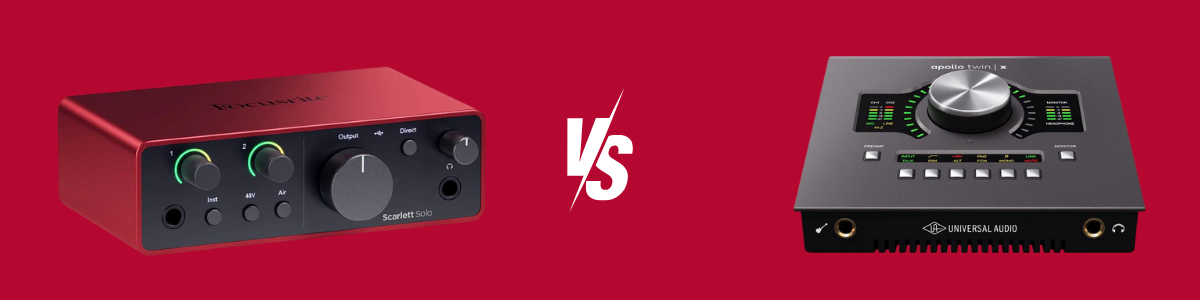
The Scarlett Solo is a budget-friendly beast that gets the job done without breaking the bank.
Here are three highlights that make it stand out:
- High-Quality Preamps: The Scarlett Solo features clean, transparent, and low-noise amplification for your microphones and instruments. This ensures that your recordings have excellent audio quality with minimal interference or distortion.
- Compact and Portable Design: The Scarlett Solo is compact and lightweight, making it highly portable and convenient for musicians, podcasters, and content creators who need to record on the go.
- Easy to Use with Included Software: The Scarlett Solo comes with Focusrite’s intuitive and user-friendly software bundle, which includes the Scarlett MixControl and Focusrite Control software.
These tools allow you to easily set up and configure your audio interface, adjust input and output settings, and monitor your recordings in real-time. It includes access to Focusrite’s acclaimed Scarlett Plug-in Suite, which offers a collection of high-quality effects and processing tools.
But if you’re ready to level up, the Apollo Twin X brings studio-quality sound straight to your desk.
Here are three highlights make it an even better choice:
- Top Sound Quality: The Apollo Twin X uses advanced Unison technology to mimic classic analog gear, giving your recordings professional-grade warmth and clarity.
- Instant Effects: With real-time UAD processing, you can apply analog sound processing and effects instantly while recording, thanks to onboard DSP and a vast library of plugins.
- Easy Connectivity and Control: The Apollo Twin X offers Thunderbolt 3 connectivity for fast audio transfer, along with various input/output options. It also has convenient monitor control features, including talkback, for easy management during recording sessions.
Choosing between the Scarlett Solo and the Apollo Twin X depends on your specific needs, budget, and level of professional audio production.
Consider the Scarlett Solo if:
- You’re a beginner or hobbyist looking for a reliable and budget-friendly option.
- You primarily record vocals, audio podcasts, or basic instrument tracks and don’t need extensive processing or effects.
- You’re working with a limited budget and don’t require the advanced features of higher-end audio interfaces.
Choose the Apollo Twin X if:
- You’re a professional or serious enthusiast seeking top-tier sound quality and performance.
- You need real-time effects processing and access to a wide range of high-quality plugins.
- You’re willing to invest in a premium audio interface for professional-grade recordings and mixing.
Lighting Setups That Make a Difference
Lights aren’t just lights in video production.
- A couple of soft boxes can banish those harsh shadows and give you that professional glow.
- Add overhead lights into the mix and boom – you’ve got yourself lighting that elevates your entire setup.
Capturing Every Angle with Multiple Cameras
Varying camera angles keep things interesting during interviews or solo talks.
- If it’s an interview recording, think about using one camera focused on each person plus another capturing both – this way, no reaction goes unnoticed.
- Solo episodes? Try different angles or b-roll footage spliced between main shots to add depth and dynamism.
Whether it’s crystal clear audio with gadgets like Scarlett Solo or Apollo Twin X, perfect lighting setups involving soft boxes and overhead lights or creating engaging visuals through multiple cameras—getting these elements right can take your video podcast production from good to great.
Navigating the World of Video Editing Software
Choosing the right video editing tools can truly take your video podcast episodes from good to great and make all the difference when it comes to taking the time editing. Yet, faced with a sea of choices, what’s the best way to pick one?
Let’s talk about two giants in the arena: Final Cut Pro and Adobe Premiere.
Final Cut Pro vs. Adobe Premiere
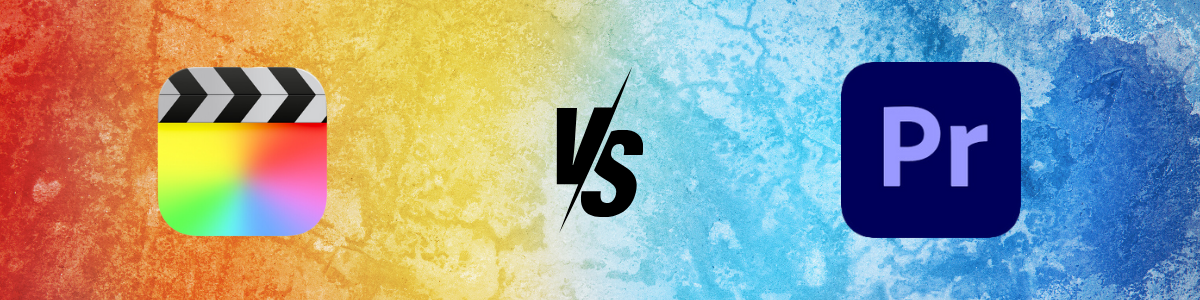
Avid creators swear by their choice of editing video software like it’s a badge of honour. And when it comes down to Final Cut Pro versus Adobe Premiere, things can get pretty heated.
- Final Cut Pro: Exclusive to Mac users, this powerhouse is known for its sleek interface and top-notch performance. It shines with features that allow seamless audio syncing and multi-cam editing which are crucial for podcast videos where clarity is key.
- Adobe Premiere: The champion of compatibility works across both Windows and Mac platforms. Its robust ecosystem allows integration with other Adobe apps like After Effects – perfect if your production involves heavy graphics or animation podcasts.
The decision largely depends on what feels more intuitive for you and fits into your existing workflow (and whether you’re team Apple or not).
Each platform dazzles with its advanced features, effortlessly harmonizing audio and visuals in Logic Pro X, seamlessly transitioning between camera viewpoints without a hitch, and layering on those crucial effects that truly make your content stand out.
Learn more about Final Cut Pro here.
If we go deeper into specifics, Adobe Premier’s versatility makes it an attractive option for teams working across different devices but needing consistency in their output quality.
On the flip side, Final Cut’s optimization for Mac means less time rendering and more time creating engaging content because let’s face it; no one likes waiting around watching progress bars crawl. And isn’t efficiency what we all strive for?
In essence, editing software like Logic Pro X makes multitasking look easy. Picking between these titans boils down to personal preference. Ultimately whatever helps bring out your creative best while keeping sanity levels intact wins the day.
Key Takeaway:
Choosing between Final Cut Pro and Adobe Premiere for your video podcast? It boils down to what suits your workflow and tech.
Mac users might lean towards Final Cut’s efficiency, while Adobe’s cross-platform compatibility appeals to diverse teams.
Enhancing Audio Quality with Acoustic Treatment and Cloud Lifters
No one wants to listen to an audio podcast that sounds like it was recorded in a tin can. Making your audio sound professional isn’t as hard or as expensive as you might think.
Spend time to learn from others and make a couple smart investments can turn even the most echoey room into a studio-quality recording space.
Why Acoustic Treatment Is Your Best Friend
Acoustic treatment —it’s not just for the pros. Think of it this way: if your voice is the star of the show, acoustic panels are its best supporting actors. By absorbing unwanted sound waves (like those pesky echoes), these panels make sure your voice comes through crystal clear.
You don’t need to cover every inch of your space; focusing on key areas where sound bounces back can do wonders for improving audio quality. Remember, we’re after that warm, intimate vibe that makes listeners feel like they’re right there with you.
The Magic Touch of Cloud Lifters
If you’ve ever whispered sweet nothings into a Shure SM7B only to realize nobody could hear them without cranking up the gain (and noise), I’ve got two words for you: Cloud Lifter. Recordings are crisper and less hissy with this tiny device that boosts microphone signals.
Seriously though, pairing a Cloud Lifter with mics like the Shure SM7B isn’t just recommended; it’s essential unless you fancy sounding distant in an echo chamber during interviews.
A mix between strategic placement of acoustic treatments and leveraging tools like cloud lifters will significantly elevate your podcast from amateur hour to pro league status.
Key Takeaway:
Boost your podcast recording audio quality on a budget with acoustic panels and Cloud Lifters. They’re the secret to clear professional sound.
Diversifying Content with Remote Interviews and B-Roll
Let’s face it, variety is the spice of life—and your podcast needs that flavour to thrive. So, why not mix things up with remote interviews and b-roll recording? Trust me; it’s a game-changer.
Conducting High-Quality Remote Interviews
You might think snagging crystal-clear audio and video from miles away is a tall order. But guess what? It’s totally doable. Here are some tips to nail those remote interviews:
- Invest in Quality Gear: Don’t skimp on this one. A decent microphone and headphones can make or break your interview.
- Test Your Tech: Before hitting record, check everything works smoothly—internet connection included.
- Eyes on the Prize: Make sure you’re looking at the camera, not down at notes. Maintaining eye contact with the camera instead of glancing at notes keeps everyone more hooked and interested.
- Mind Your Background: A cluttered background can be distracting. Keep it simple or use a virtual backdrop if necessary.
Taking these steps will ensure your remote interviews feel just as intimate as in-studio chats—maybe even more so because let’s admit it, there’s something quite personal about getting a peek into someone else’s workspace or home office.
Beyond these basics though, let’s talk visuals – adding dynamic content like b-roll footage makes for an engaging watch/listen experience no static image could ever match.
Picture this: While discussing their latest project over Zoom, your guest mentions a wild story from set. You cut to behind-the-scenes adding video footage they’ve shared, right then. Cool, right?
The point here? Diversifying doesn’t just keep things fresh—it brings stories to life, makes them relatable, and yes, might even bump those download numbers.
So go ahead, start experimenting with different types of content and create engaging videos. Gratitude from your listeners will be a testament to the variety you’ve introduced.
You might just stumble upon storytelling techniques that had remained elusive to your imagination until now. Remember, every successful podcaster started somewhere—all it takes is curiosity, a willingness to try new things, and maybe, a bit of tech savvy thrown into the mix.
Key Takeaway:
B-roll brings stories to life, making them more relatable. Start experimenting; your audience will love the variety.
Mix up your podcast with remote interviews and b-roll to keep it fresh.
Leveraging Video Podcasts for Business Growth on Various Platforms
Let’s face it, the world’s glued to screens and consume video more then anything else.
Whether it’s a smartphone or a laptop, visuals grab attention. What better way to catch that wandering eye than with video podcasts?
They’re not just audio files with a static image anymore; they’re engaging and can seriously boost your business growth, allowing you to gain access to a wider audience’s attention.
Why You Need To Be Everywhere (But Not All At Once)
Gone are the days when uploading solely to Apple Podcasts cut it. Today’s audience lives across multiple media platforms – YouTube for visual folks, Spotify for commuters and Apple Podcasts because well…it’s still Apple Podcasts.
- YouTube: The go-to spot for those who prefer video content over any other format.
- Spotify: Perfect for listeners on-the-go.
- Social Media Platforms: Ideal spots for bite-sized clips leading back to full episodes.
Your podcast needs presence where your audience hangs out but tailor content accordingly – long-form interviews work great on YouTube Studio while teasers perform well on Instagram Stories or TikTok.
In this video, I share Easy Tips to Get Noticed & Gain More Listeners. You can see more videos like this on my Youtube Channel.
Diving Deep Into Analytics For Fine-Tuning Content Strategy
Data doesn’t lie. Dive into analytics provided by these various platforms as if they were treasure maps leading you straight towards engagement goldmines.
- Analyze download numbers versus viewer retention rates;
- Determine which topics resonate most through likes/comments/shares;
- Tweak future episode themes based upon hard data rather than gut feeling.
So there we have it – harnessing the power of video podcasts across different platforms isn’t rocket science but requires strategy, consistency and maybe even some trial-and-error along the way.
Knowing how to create video podcasts goes beyond pressing record; it demands storytelling finesse paired with a keen understanding of your audience’s needs and preferences.
Jump into video podcasting, infusing it with your unique creativity and zeal to ensure that what you produce not only finds its audience but also strikes a chord within them.
Key Takeaway:
Grab your audience’s attention with dynamic video podcasts and custom thumbnails that pop. Be present across various platforms, tailoring content to each.
Dive into analytics for insights to fine-tune your strategy. It’s all about creativity, consistency, and understanding what your viewers love.
FAQs in Relation to Video Podcast Production
How do I choose the right format and structure for my video podcast?
The format and structure depend on your content goals and audience preferences. Consider experimenting with different formats, such as interviews, roundtable discussions, tutorials, or storytelling formats, to see what resonates best with your audience.
How do I handle copyright issues when using music, images, or video clips in my podcast?
To avoid copyright issues, use royalty-free music, images, and video clips from reputable sources like stock media libraries or Creative Commons-licensed content. Alternatively, seek permission from the copyright holder or use content that is in the public domain.
What strategies can I use to grow my audience and increase engagement with my video podcast?
Engage with your audience through social media, respond to comments and messages, collaborate with other creators, optimize your content for search engines, and encourage audience participation through polls, Q&A sessions, and giveaways.
What are some tips for improving the visual quality of my video podcast?
Invest in quality video equipment and microphones. Pay attention to lighting, camera angles, framing, background settings, and graphics to enhance the visual appeal of your video podcast.
Conclusion
And with that, we’ve laid out the essential roadmap for embarking on your adventure into video podcasting, a world where choosing the perfect mic and mastering video editing software is just the beginning.
We’ve covered everything from choosing the right microphone to navigating video editing software and beyond. It’s not just about hitting ‘record’; it’s about crafting stories that resonate, using gear that elevates your content, and engaging with platforms that amplify your voice.
Remember, every titan of the podcast world started exactly where you are now – with an idea and a passion to share it. The path might seem daunting but armed with the right knowledge (and perhaps a bit of tech wizardry), transforming those ideas into visual masterpieces is well within reach.
Design and build your own podcast with our blueprint and become a confident creator to grow your brand and business.
Diving into video podcast production transcends mere content creation; it involves forging bonds, exchanging stories, and potentially altering viewpoints as we journey through it. And yes – while Hollywood loves a good robot uprising story – in our tale, technology isn’t our foe but our most faithful ally.
So let this be more than just advice; see it as a call to action. Embrace technology, unleash creativity and remember: in the vast universe of content creation, there’s always room for one more star – why shouldn’t it be you?
If you’re looking to build a brand and grow your business with content creation right now, then why not book a FREE discovery call today? https://www.kult.media/discoverycall/ I guarantee actionable advice on every call.